Rozpocznij
We'll begin with downloading some homebrew tool(s), in preparation for the exploit steps.
Wymagania
- Możliwość kopiowania pobranych plików na kartę SD
- Aplikacja, która może rozpakowywać archiwa, takie jak 7-Zip (Windows), The Unarchiver (macOS) lub ZArchiver (Chromebook)
- Zalecamy nie używać WinRAR, bo jest znany z psucia rzeczy
- Jeżeli używasz Windows 11, to zalecamy też nie używać wbudowanej rozpakowarki (Windows Explorer), bo może spowodować błąd mówiący, że nazwa pliku jest zbyt długa albo nieprawidłowa
- A good quality name-brand SD card (or name-brand MicroSD with SD adapter). This is important as you may encounter compatibility issues and loss of data using an off-brand or counterfeit SD card! For more information, please see this article on fake MicroSD cards, the information it has also applies to full size SD cards.
Sekcja I - Przygotowanie
WARNING
Ensure your SD card is formatted correctly with this guide. You may encounter compatibility problems with homebrew or an SD Card with the wrong filesystem by skipping this step.
- Włóż swoją kartę SD to twojego komputera
- Download the latest release of dumpTool as
boot.nds - Copy the
boot.ndsfile to the root of your SD card- Make sure it is specifically named
boot.ndsinstead ofboot (1).ndsor any other name
- Make sure it is specifically named
TIP
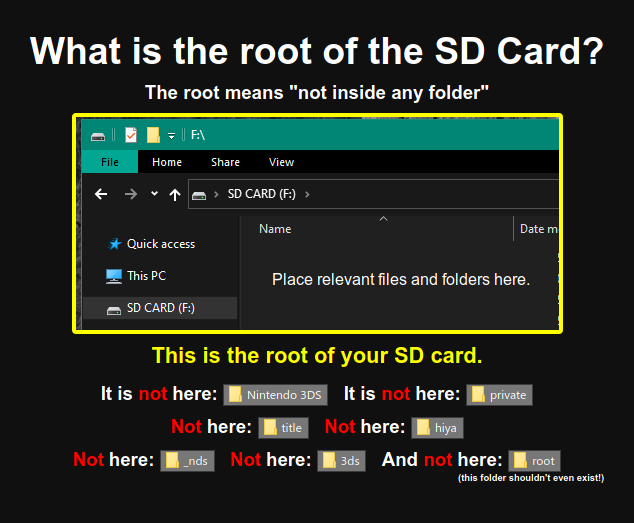
Nie jesteś pewny czym jest "początek" karty SD? Sprawdź to zdjęcie
Sekcja II - Sprawdzanie, czy Unlaunch jest już zainstalowane
Unlaunch is a bootcode exploit which gets installed onto the DSi console itself, allowing full control of the console on boot, and as a result, allows homebrew applications full access to the hardware without restrictions from DSi system apps or DSiWare titles.
Niektóre konsole DSi, które są sprzedawane jako używane/odnowione, mogą mieć już zainstalowanego Unlaunch.
To check, press the POWER button and immediately hold the A + B buttons.
- Jeżeli zobaczysz menu, które pokazuje
Nocash Unlaunch.dsina górnym ekranie, to oznacza, że Unlaunch jest już zainstalowany i możesz kontynuować z zrzucaniem NAND-u. - Jeżeli DSi uruchamia się normalnie z pokazującym się DSi Menu, kontynuuj do Sekcji III.
Section III - Memory Pit
Memory Pit is an exploit utilizing the DSi Camera, compatible with all firmware versions.
If using the exploit without installing Unlaunch, compatibility with some homebrews could be limited. If you encounter issues with DSi homebrews and/or the camera function in DSi-Enhanced games, you can return to this guide and set up an alternate exploit instead.
TIP
Continue to Launching the Exploit